


The Best eSIMs for Japan and South Korea in 2026 (Why I’m Using Airalo Instead of a Physical SIM)
I always notice the same scene right after landing in Tokyo or Seoul: sleepy eyes, one hand on a passport, the other on a phone, juggling QR codes, train tickets, and a map that won’t load. Meanwhile, the physical SIM line snakes past the kiosk, and someone drops that tiny SIM tool like it’s a needle.
If you’re traveling in 2026, there’s a simpler move: install an eSIM before you fly, then switch it on after you land. No SIM swaps, no store hours, and far fewer “wait, why is my roaming on?” surprises.
This guide is for first-timers, cherry blossom planners, and anyone doing a multi-city Japan plus South Korea trip.
Transparency Note: This article contains affiliate links. If you book through these links, I Need My Vacation may earn a small commission at no extra cost to you. We only recommend services we genuinely trust and use ourselves. Thank you for supporting independent travel content!
TL;DR: My Top Pick for 2026
Airalo offers the best balance for most travelers—simple app, easy top-ups, dependable coverage in Japan and South Korea, with plans starting from just $4.
My 2026 Quick Picks: Best eSIMs for Japan and South Korea
Here’s the short list I’d send a friend who just texted, “What eSIM should I buy for Japan and Korea?”
🥇 1. Airalo – Best Overall
Best for: Most travelers, flexible top-ups
Trip length: 5-30 days
Tradeoff: Not always the cheapest on paper
Get Airalo eSIM →
🥈 2. Nomad – Best for Comparisons
Best for: Plan variety and date flexibility
Trip length: 5-30 days
Tradeoff: More time spent choosing plans
🥉 3. Holafly – Best Unlimited
Best for: “Unlimited” simplicity
Trip length: 5-20 days
Tradeoff: Higher cost, fair-use policies vary
4. Ubigi & Saily – Solid Alternatives
Best for: Existing users, quick price checks
Trip length: 7-30 days
Tradeoff: Less flexibility if you underestimate data
Real pricing snapshot (March 2026):
- Saily Japan: 20GB for 30 days around $27.19
- Airalo Japan: Unlimited for 30 days around $57
- Airalo South Korea: Unlimited around $23 for 7 days
Prices fluctuate like flight fares. I always check current Airalo rates before booking.
For a broader perspective, I recommend scanning TechRadar’s best eSIMs for Japan, then deciding based on your trip length and data habits.
Planning for cherry blossom season? I plan data the same way I plan parks and day trips—early. Bookmark this cherry blossom timing guide because spring routes change fast once blooms peak.
Why I’m Skipping Physical SIMs in 2026

Photo by Theodore Nguyen
A physical SIM used to feel like a travel rite of passage. Now it feels like extra friction. I’d rather spend arrival time buying a T-money card in Seoul or finding the right train gate in Tokyo.
5 Reasons Travelers Are Switching to eSIMs:
- ⚡ Speed: Install before you fly, switch on after landing
- 🎯 Convenience: No SIM tray, no tiny tool, no “where’s my home SIM?”
- 🔒 Security: Zero chance of losing your main SIM in a hotel room
- 🔄 Flexibility: Top up in-app when you burn data during transit days
- 💰 Cost control: Avoid accidental roaming charges
eSIM vs Pocket WiFi vs Physical SIM: The Real Tradeoffs
| Option | Pros | Cons | Best For |
|---|---|---|---|
| eSIM | Instant setup, no device to carry | Requires eSIM-compatible phone | Most travelers |
| Pocket WiFi | Multiple device sharing | Extra device to charge, carry, return | Groups/families |
| Physical SIM | Works with any unlocked phone | Store hours, ID checks, risk of loss | Backup option |
My verdict: eSIM first, pocket WiFi only for heavy multi-device groups.
Airalo: My Best All-Around Pick for 2026
Airalo fits how I actually travel. I buy the plan in the app, install it in minutes, then activate it on arrival. In Japan, Airalo routes through major local networks (typically SoftBank), which delivers solid coverage in cities where I spend most of my time.
What I notice in real life:
- ✅ Maps load instantly on station platforms
- ✅ Translation apps work at dinner
- ✅ Last-minute ticket booking without WiFi hunting
- ✅ Snappy 5G speeds in Tokyo and Seoul
Reality check: No eSIM is magic. Mountains, deep subways, and long tunnels can drop signal—that’s normal. I appreciate that hotspot sharing is usually supported, so I can connect a laptop in a pinch. When my carrier allows it, I keep my home SIM active for bank codes and important texts.
When I’d Pick a Different eSIM
- Only want “unlimited” and don’t care about cost? → Holafly
- Want to compare specific date ranges? → Nomad
- Already use another ecosystem? → Stick with Ubigi or Saily
How to Set Up Your Airalo eSIM (Works the Minute You Land)
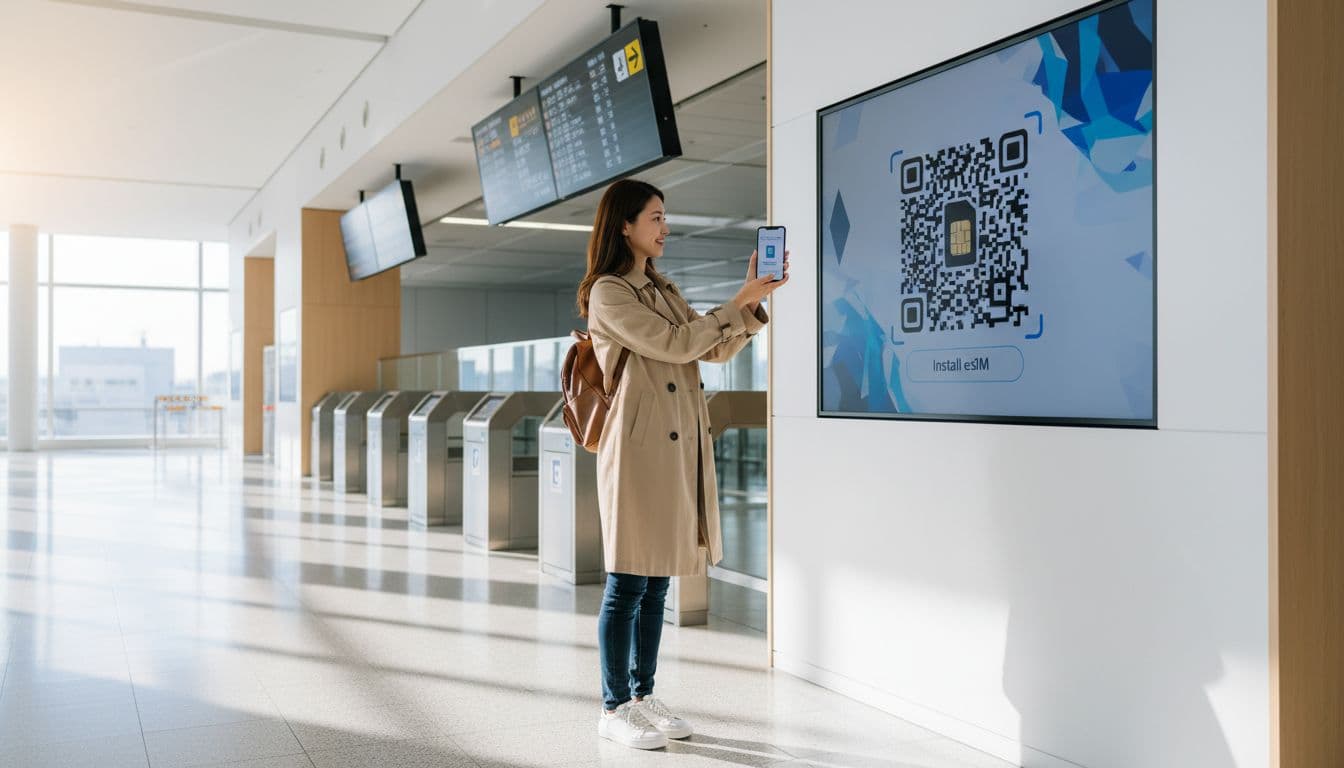
I do this setup at home, not on airport WiFi. It takes about 5 minutes when I’m not rushed.
Step-by-Step Setup:
- Check compatibility: Confirm your phone is eSIM-compatible and unlocked
- Buy your plan: Get your Japan or South Korea eSIM at Airalo
- Install: Install via the app or QR code, then name it something obvious like “Japan Data”
- Set as data line: Make the eSIM your mobile data line
- Before takeoff: Keep it OFF, then after landing turn it ON and enable data roaming for the eSIM only
- Keep primary line: Leave your main SIM on for calls/texts if your carrier supports it
Pre-Flight Mini Checklist:
- ☐ Screenshot the installation steps
- ☐ Confirm the eSIM line is added
- ☐ Check “Cellular Data” points to the eSIM
- ☐ Save offline maps as backup
💡 Pro tip: After landing, restart your phone once. It fixes more issues than it should.
The 5 Mistakes That Cause “No Service” (And Fast Fixes)
✅ Fix: Wait until you land, then toggle it on
✅ Fix: Set cellular data to the eSIM, not your home SIM
✅ Fix: Turn on roaming for the eSIM line only
✅ Fix: Pause VPN, connect, then turn it back on
✅ Fix: Restart, then toggle airplane mode once
Japan + Korea Combo Trip Strategy
I choose between two options:
- Simplest: One regional Asia eSIM (if it includes both countries)
- Better control: Separate country plans (often cheaper depending on data use)
Either way: Top up before transit days—airports and long train days eat data fast. Compare both options in the Airalo app before buying.
Booking Checklist: Flights, Stays & Transfers
Good data makes every booking step easier. I can pull up confirmations, translate hotel messages, and reroute when train platforms change.
My Booking Strategy:
- Flights: Search flexible dates first—one-day shifts can save serious money
→ Search flexible flights on Aviasales - Hotels: Prefer refundable options in areas you’ll actually use (Shinjuku for late nights, Myeongdong for easy subway access)
→ Compare refundable stays on Booking.com
→ Check Agoda for Asia-specific deals - Airport transfers: Pre-book if you land late—don’t negotiate tired in the rain with 2% battery
My 5-Item “Don’t Get Stuck Without It” Packing List
Japan and Korea work with US plugs, but bring one for odd outlets
The hotel bed always eats one
Helpful for spring rain and boat days
Seoul and Tokyo drizzle is sneaky
FAQ: eSIMs in Japan and South Korea
Most newer iPhones, Pixels, and many Samsung models do. Check Settings for “Add eSIM” and confirm your phone is unlocked.
Usually, yes. Keep your primary line on for calls and texts when your carrier allows it, while the eSIM handles data.
Often, yes, where available. Even LTE is plenty for maps, translation, and booking.
Many plans support it, and Airalo commonly does. Test once at home since plan rules can vary.
Install before flying and activate after landing. Don’t troubleshoot with jet lag.
Top up in-app before big travel days. Airalo’s top-up flow is simple and clear.
Ready to Get Connected?
Don’t Land Without Data
Join over 20 million travelers who trust Airalo for instant connectivity in 200+ countries.
Get Your Japan & Korea eSIM Now
Plans start from just $4 • Setup in 5 minutes • 24/7 support
Next Steps for Your Trip:
- ✅ Lock in your eSIM: Get Airalo now
- ✅ Book flexible flights: Search on Aviasales
- ✅ Reserve refundable stays: Booking.com or Agoda
- ✅ Grab essentials: Power bank on Amazon
© 2026 I Need My Vacation. All rights reserved.
